


We’ve kicked off the new year with a series of core infrastructure improvements designed to give risk teams more autonomy and precision. These include updates for automated alert management, self-service webhooks, audit-ready SLAs, and expanded session analytics.
The highlights:
- Autonomous alert management. Use our Sanctions AI Agent to automate the heavy lifting of alert triage based on your configurations.
- Self-service webhook configuration. The new Webhooks page gives you direct control over data flows and delivery debugging, eliminating the need to contact the support team.
- Out-of-the-box visualizations. New pre-configured charts in the Customer Intelligence and Feedback dashboards surface session traffic and resolution patterns.
More precise, scalable compliance and AML coverage
Enhanced Sanctions Agent: Alert management and precision screening
Our Sanctions Agent has been optimized to give teams greater granularity and oversight during sanctions reviews. It can now assist with alert processing by executing decisions based on your pre-configured dashboard settings, helping reduce unnecessary manual reviews.
Assessment logic has also been expanded to incorporate additional data points, including transaction notes and geographic indicators. Improved entity resolution helps distinguish legitimate businesses from sanctioned aliases, such as separating Robinhood the corporation from “Robinhood” used as a pseudonym.
By filtering out common false positives earlier in the workflow, the Sanctions Agent keeps analysts focused on alerts that require expert investigation.
Standardized evaluation frameworks across regions
Maintaining consistency across global markets requires a uniform approach to screening. We’ve introduced a standardized underlying framework for the Sanctions Agent so your team can make predictable evaluations across regions and alert types, even as regulatory requirements evolve.
Matching logic now extends to more specific categories including Counterparty, Counterparty Banks, and Transaction Notes to build a more comprehensive risk profile. You can also apply custom region lists across a wider set of location signals, including physical addresses, area codes, and IP addresses, helping surface geographic risk that might otherwise be missed.
Scalable infrastructure and technical control
Manage data flows with the new Dedicated Webhooks Hub
Webhook management now lives in its own self-service page within the Sardine dashboard. Technical teams can configure endpoints, monitor delivery health, and troubleshoot integration issues directly, without opening support tickets for routine changes.
The new hub includes an Endpoints tab for tracking active connections and error rates, alongside granular logs for auditing specific events by Message ID or Type. If a delivery fails, the Manual Replay feature allows you to resend the exact payload with one click to help your systems stay synchronized without needing manual data recovery.
Faster, smarter operations for fraud and compliance teams
Audit review timelines with Alert SLAs and status durations
Compliance teams can now set specific review windows for any queue to create a more predictable investigation cycle. These Alert SLAs ensure every alert is addressed within a consistent timeframe, with the remaining time visible directly on the Alert Details page. This allows for clearer ownership and helps prevent critical signals from being overlooked.
Status Duration tracking has also been added across all alert listing pages. This makes finding bottlenecks easier, showing how long an alert has sat in its current state, whether it’s new, in-progress, or resolved. Leads can use this visibility to resolve backlogs before they accumulate and benchmark team performance against internal targets.
Expanded analysis for workflow and feedback patterns
New preconfigured charts in the Customer Intelligence and Feedback dashboards provide immediate visibility into session traffic and feedback lifecycles without requiring custom queries.
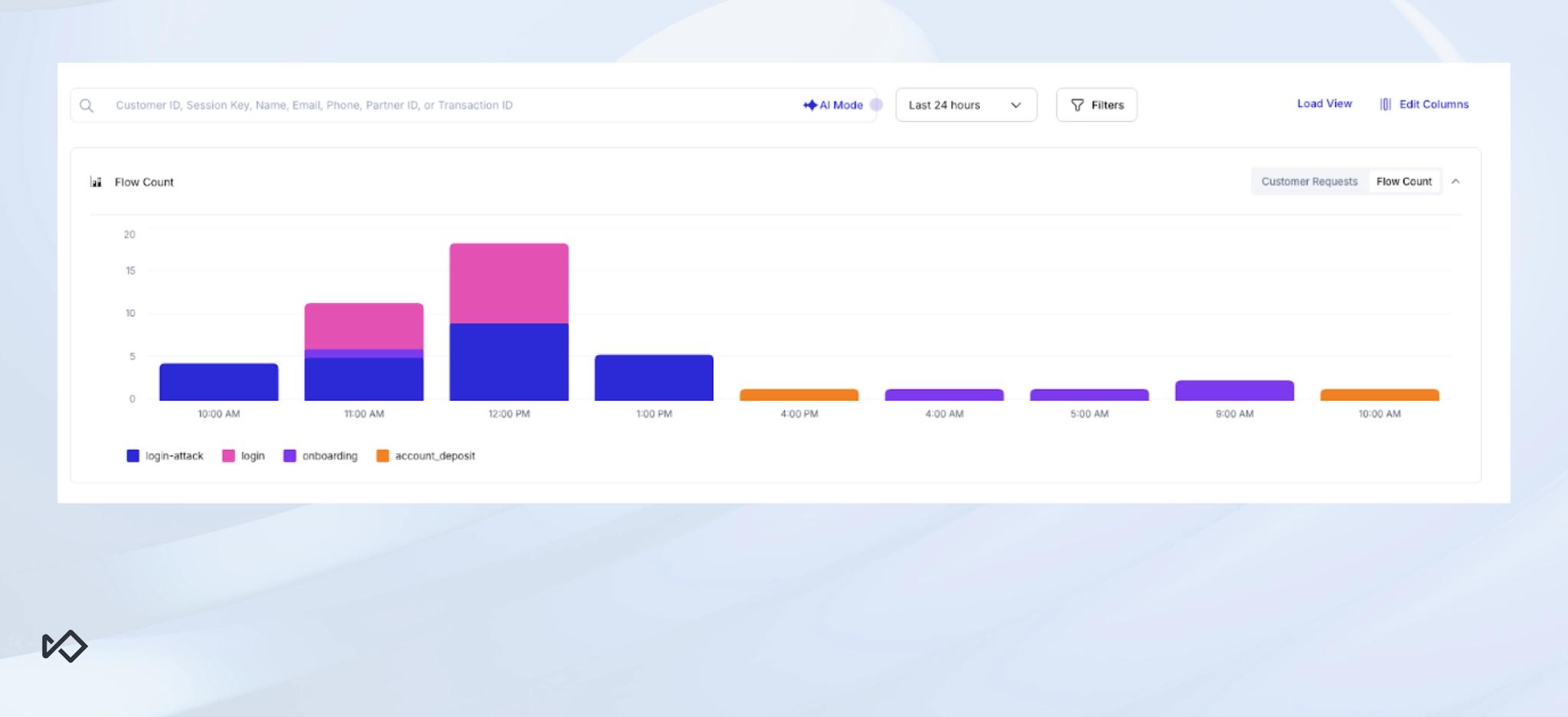
- Sessions by flow name: Trace user volume across specific product flows to detect friction points or sudden activity spikes.
- Feedback categorization: Monitor incoming reports by type and resolution status to track the real-time health of your risk and support operations.
Advancing global risk intelligence with Sardine
We continue to invest in infrastructure and detection logic that gives teams more control and investigative clarity. From self-service webhook management and automated sanctions triage to audit-ready SLAs and expanded analytics, this month’s updates deliver a more transparent, resilient foundation for modern fraud and compliance operations.
Current customers can visit our release notes and changelog for more details. If you want to see these features in action, get in touch for a demo